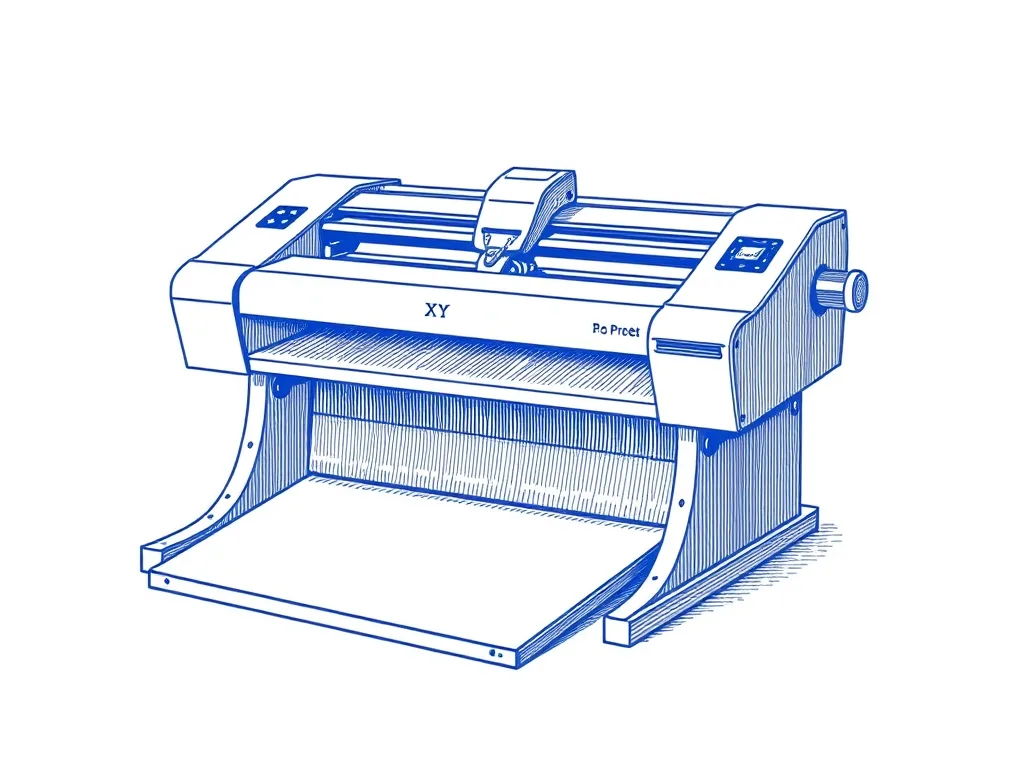
UUNA TEK iDraw 2.0 A3 Pen Plotter
A large-format desktop XY plotter that draws on paper up to A3 — the most accessible on-ramp to AxiDraw-style plotting without the AxiDraw price.
Our verdict
The best value large-format pen plotter for hobbyists who want A3 reach and standard pen compatibility without building a kit from scratch.
Best for: Makers who want A3 plots out of the box
We earn a commission on qualifying purchases made through links on this page, at no extra cost to you. Learn more.
What we like
- Genuine A3 drawing area at a fraction of large-format alternatives
- Servo pen lift accepts fineliners, gel pens and brush pens with a clamp
- Standard GRBL firmware means broad software support
- Rigid aluminium frame keeps lines crisp on long plots
What to watch
- Assembly and belt tensioning take an afternoon
- No enclosure — keep curious hands and cats away mid-plot
- Pen pressure needs tuning per pen type
The iDraw 2.0 is the machine most people should start with if they want A3-sized plots and don’t want to commit to AxiDraw money or solder together a DIY kit. It’s a belt-driven XY gantry that moves a servo-actuated pen across a fixed sheet, and in practice it does exactly what a pen plotter should: turn an SVG into clean, repeatable ink on paper.
Build and setup
Out of the box it’s a partial kit — the frame is pre-built but you’ll tension belts, square the gantry, and mount the pen holder yourself. Budget an afternoon. Once it’s dialed in, the aluminium extrusion frame is rigid enough that lines stay crisp even on dense, hours-long plots.
Pens and pressure
The servo lift is the heart of any plotter, and the iDraw’s is dependable. It accepts most fineliners and gel pens with the included clamp, and with a printed adapter you can run brush pens or technical pens. You’ll spend your first session tuning pen-down pressure and travel height — write those settings down.
Software workflow
Because it runs standard GRBL firmware, you’re not locked into a proprietary app. Most users drive it from Inkscape with a plotting extension, or generate G-code from vpype and stream it over USB. That openness is the iDraw’s quiet superpower: your workflow won’t die if one app stops being maintained.
Who it’s for
If you want the smallest possible gap between “I have an SVG” and “there’s ink on A3 paper,” and you’re comfortable with a little mechanical fiddling, the iDraw 2.0 is the easy recommendation.
Specifications
| Drawing area | A3 (297 × 420 mm) |
|---|---|
| Mechanism | Belt-driven XY gantry |
| Pen mount | Servo lift, fits most pens |
| Connectivity | USB, GRBL firmware |
| Software | Inkscape + plugin, LaserGRBL |
Ready to plot?
Prices and availability change often — check the latest on Amazon.
More plotters we've reviewed
Bantam Tools NextDraw 8511
4.8 (64)The official successor to the AxiDraw — same beloved workflow, refined hardware, and a US letter / A4 drawing area for desktop plotting.
Best for: Buyers who want the AxiDraw lineage, current-production
Evil Mad Scientist AxiDraw V3/A3
4.9 (312)The pen plotter that serious plotter artists upgrade to — precise, quiet, and compatible with nearly every pen and surface you'd want to draw on.
Best for: Artists ready to invest in the best
Two Trees GRBL Drawing & Writing Robot Kit
4.2 (142)A budget DIY drawing and writing robot kit on GRBL — heavy on assembly and tuning, light on price, and a genuinely good way to learn how plotters work.
Best for: Tinkerers who want to learn by building and tuning