L-Systems and Fractal Art for Pen Plotters
L-systems generate infinitely complex branching structures from a handful of rules — and they plot beautifully. Learn what they are and how to make your first L-system plot.
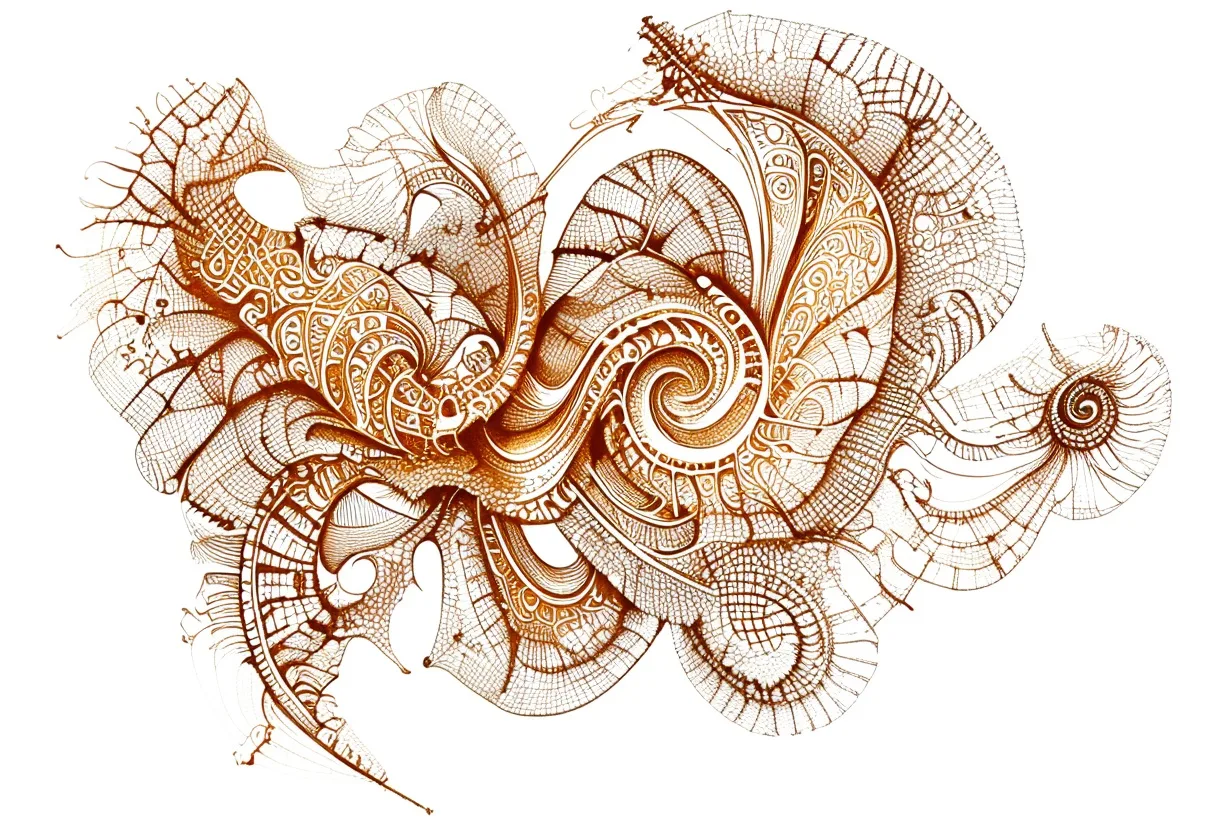
L-systems produce some of the most striking plotted art you can make — branching trees, recursive ferns, coral structures, space-filling curves — and they emerge from rules so simple you can write them on a napkin. Here’s what L-systems are, why they’re perfect for plotting, and how to make your first one.
What is an L-system?
An L-system (Lindenmayer system, after botanist Aristid Lindenmayer) is a string-rewriting grammar. You start with:
- An axiom: the starting string, e.g.
F - Rules: replacement patterns, e.g.
F → F[+F]F[-F]F
Apply the rules repeatedly. Each F in the axiom gets replaced by the right-hand side. After a few iterations, the string becomes very long. Then you interpret it as drawing instructions:
| Symbol | Meaning |
|---|---|
F | Move forward, draw a line |
+ | Turn left by angle θ |
- | Turn right by angle θ |
[ | Save position and angle (push stack) |
] | Restore position and angle (pop stack) |
The brackets are the magic: they let you branch — move along a branch, return to the junction, go the other way. This simple mechanic generates the recursive branching of every tree and fern structure.
Classic L-systems to try
Fractal tree (axiom: X, rules: X→F+[[X]-X]-F[-FX]+X, F→FF, angle: 25°) — produces a naturalistic tree shape that’s beautiful plotted at 6–7 iterations.
Dragon curve (axiom: FX, rules: X→X+YF+, Y→-FX-Y, angle: 90°) — a self-similar space-filling curve with a mechanical, crystalline look.
Sierpinski triangle (axiom: A, rules: A→B-A-B, B→A+B+A, angle: 60°) — the classic fractal triangle, plots as a fine mesh of lines.
Koch snowflake (axiom: F--F--F, rule: F→F+F--F+F, angle: 60°) — builds an infinitely complex snowflake boundary.
Generating L-system SVGs
Option 1: Use an online generator
Search for “L-system generator SVG” — there are excellent browser-based tools where you paste a rule string, set the angle and iterations, and download the SVG directly. No coding required.
Option 2: Code it in Processing or p5.js
The Nature of Code has a complete L-system chapter with working Processing code. It’s the fastest path from understanding to customization — you’ll be writing your own grammars within an afternoon.
The Processing Handbook is useful context for the broader Processing environment if you’re new to it.
Option 3: vpype with lsystem plugin
vpype has community plugins including L-system generators. Install and run from the command line — useful for batch-generating variations.
Plotting considerations
Iteration count matters a lot. Early iterations (2–3) produce sparse, obvious tree shapes. High iterations (6–7) produce extremely dense fine detail — beautiful but with many thousands of paths and long plot times. Start at iteration 4–5.
Optimize before plotting. An L-system SVG has no path ordering — lines are generated in grammar order, not travel order. Running through vpype before plotting is essential:
vpype read lsystem.svg linesort write plot_optimized.svgThis reorders paths by proximity, dramatically cutting pen travel.
Line weight choice. A 0.2–0.3 mm fineliner preserves the fine detail of high-iteration L-systems. Anything thicker smears together the thin branches at the tips. On smooth paper, Pigma Micron 0.3 is the standard recommendation.
Paper size. L-system art has self-similar detail at every scale — larger paper lets more of it breathe. A3 is better than A4 for complex iterations. The smallest details at the branch tips should still be visible and distinct.
Designing your own grammars
Once you’ve plotted a few classic examples, designing a custom grammar is the natural next step. The rule is: F means “draw”, +/- mean “turn”, [] mean “branch”. Vary the angle θ and the branching rule until you find something you love. Small changes in θ (22° vs 25°) produce very different looking structures.
The payoff for learning L-systems is disproportionate to the effort — a few rules produce endless variation, and every iteration is a new piece.
Frequently asked questions
What is an L-system?
An L-system (Lindenmayer system) is a grammar-based rewriting system. You start with a short string and a set of replacement rules, apply them repeatedly, and then interpret the resulting string as drawing instructions — turn left, move forward, draw a line, branch. The result is intricate self-similar structures like trees and ferns.
Do I need to understand mathematics to use L-systems?
Not really. The basic idea — a string gets replaced by longer strings, the result gets interpreted as a turtle graphics path — is simple. You can use existing tools and just change the parameters. Understanding the grammar helps when you want to design your own, but it isn't required to start.
Why are L-systems especially good for pen plotters?
L-systems generate pure vector paths — exactly what a plotter draws. A branching tree or a recursive fern is thousands of short lines in a rich hierarchy, which looks extraordinary plotted, especially at high line counts. No bitmap conversion needed.
Gear mentioned in this post
Antoine Beyeler vpype (Free)
4.9 (480)The command-line Swiss-army knife for pen plotter SVGs — optimizes, reorders, merges, crops and prepares vector files for cleaner, faster plots.
Best for: Everyone — mandatory step between generative art and plotting
Daniel Shiffman The Nature of Code
4.8 (900)The book that teaches the generative-systems thinking behind great plotter art — flow fields, forces, noise and autonomous agents, all in approachable code.
Best for: Learning to generate art worth plotting
Casey Reas & Ben Fry Processing: A Programming Handbook
4.6 (360)The foundational Processing reference from the language's own creators — the bedrock under a huge amount of plotter art, and the book you keep open while you code.
Best for: Properly learning the language behind plotter art
Sakura Pigma Micron Fineliner Set
4.8 (5,400)Archival pigment fineliners that are the de facto default for pen plotting — consistent line width, fade-proof ink and almost no skipping.
Best for: Clean, consistent line art on most papers