Pen Plotter Troubleshooting: Fix Skipping, Registration & Messy Lines
Diagnose and fix the most common pen plotter problems — skipping pens, shifting paper, wobbly lines, ink pooling and double-drawn paths — with practical, tested fixes.
A pen plotter is a simple machine doing a fussy job, and when a plot goes wrong it’s rarely mysterious. Ninety percent of problems come down to one of five things: the pen isn’t pressing right, the paper moved, the frame or belts are loose, the machine is going too fast, or the file is dirty. Work through them in order and you’ll fix almost anything.
This guide is organized by symptom. Find what your plot is doing wrong and jump to it.
Pen skipping and inconsistent lines
You get a strong line, then a gap, then a faint scratch. The pen is making intermittent contact or not flowing.
- Pen-down height is too high. The single most common cause. Lower the pen-down position a millimeter at a time until the line is solid everywhere — including over slightly warped paper. You want gentle, consistent pressure, not a gouge.
- Wrong pen for the job. Ballpoint and rollerball tips need drag and downforce to flow; on a light-touch plotter they skip constantly. Pigment fineliners flow with almost no pressure and are the most forgiving choice. If you’re fighting a pen, change the pen before you change anything else.
- No give in the holder. A little spring pressure lets the tip ride over paper texture. If your holder is rigid and the line still breaks up over the page, add a soft spacer or a light spring so the pen can self-adjust.
- Drying tip on long plots. Covered below — but a pen that starts strong and fades over twenty minutes is drying out between strokes, not skipping mechanically.
Paper shifting and registration drift
If lines don’t meet up, or a multi-pen drawing comes back misaligned, the paper moved.
- Tape all four edges with low-tack painter’s tape. It holds firmly but peels off without tearing the sheet or lifting fibers.
- Add binder clips at the corners for heavier stock that wants to curl.
- Work on a flat, rigid bed. A sheet of MDF or thick acrylic under the paper stops the surface flexing as the pen drags.
- Never move the paper between pen swaps. For multi-color work, the whole point of taping down once is that layer two lands exactly on layer one. Swap pens, not paper.
A drawing that drifts a little more with every pass is almost always paper creeping, not the motors losing steps.
Wobbly, wavy, or stepped lines
Lines that should be smooth come out shaky or faceted. This is mechanical or a settings issue.
- Loose belts. Slack in the drive belts lets the gantry overshoot and lag, producing visible waviness. Tension them until they’re firm with no audible twang — snug, not banjo-tight.
- Flexing frame. A wobbly desktop, a machine that isn’t sitting flat, or a flimsy frame transmits every vibration into the line. Put the plotter on something solid and level it.
- Speed and acceleration too high. If straight lines are fine but curves look like a series of tiny flat segments, the machine can’t keep up with the path. Lower the speed and acceleration in your plotting software. Slower almost always looks better — most disappointing plots are simply rushed.
Ink pooling at corners
A dark blob appears wherever the path changes direction sharply. The pen decelerates to round the corner, so it sits in one place a fraction longer and ink keeps wicking out.
- Raise corner speed if your software lets you set it, so the pen spends less time stationary.
- Trim pen-up dwell. A long delay between dropping the pen and starting to move dumps a starting dot. Shorten it.
- Use a less wet pen. Gel pens and brush pens flood corners; a pigment fineliner delivers far less ink and pools much less. Match the pen to the density of your linework.
Pen drying out mid-plot
Long plots with sparse linework leave the pen idle and uncapped between strokes, and the tip skins over.
- Choose slower-drying ink for long jobs, or pick pens known to survive being left open.
- Reorder the paths so the pen draws more continuously and idles less — vpype’s
linesortreduces the long travel moves where a tip dries. - Prime before you start. Scribble the pen on scrap until it flows reliably, then load it. A pen that’s marginal at the start will fail halfway through.
Double-drawn lines
The plotter traces certain lines twice, leaving them darker or slightly fuzzy. This is a file problem, not a hardware one.
The usual culprit is duplicate or overlapping paths stacked in your SVG — easy to create in design tools without noticing. Run the file through vpype to merge touching segments and remove duplicates before plotting (see how to prepare an SVG for plotting). Also check you didn’t convert a thick stroke to a path, which turns one line into a thin outline drawn down both sides.
A quick diagnostic order
When something’s off and you’re not sure where to start, check in this sequence: file → paper → pen → speed → belts/frame. It moves from the cheapest, fastest fixes to the ones that need tools, and it catches the most common problems first. When you’re ready to upgrade your kit, see our best pens and best paper picks.
Frequently asked questions
Why is my pen skipping and leaving gaps in lines?
Almost always the pen isn't pressing hard enough, or it's a ballpoint-style tip that needs drag to flow. Lower the pen-down position a millimeter or two, add light spring pressure if your holder allows it, and switch to a pigment fineliner, which flows with very little force.
How do I stop my paper from shifting mid-plot?
Tape all four edges down with low-tack painter's tape and add binder clips at the corners on a rigid, flat bed. Most drift comes from paper lifting slightly as the pen drags across it, so the goal is zero movement once you've started.
Why are my straight lines coming out wavy or stepped?
Wavy lines usually mean loose drive belts or a flexing frame; stepped or faceted curves usually mean speed and acceleration are set too high for the machine. Tighten the belts, firm up the frame, and slow the plot down until the lines clean up.
Why does ink pool at the corners of my drawing?
The pen pauses or decelerates at each corner, so ink keeps flowing into one spot. Increase corner speed if you can, reduce any pen-up dwell, and use a pen that doesn't over-deliver ink, like a pigment liner rather than a wet gel pen.
Why is my plotter drawing some lines twice?
Your SVG almost certainly contains duplicate or overlapping paths stacked on top of each other. Run it through vpype to merge and dedupe the lines before plotting.
Gear mentioned in this guide
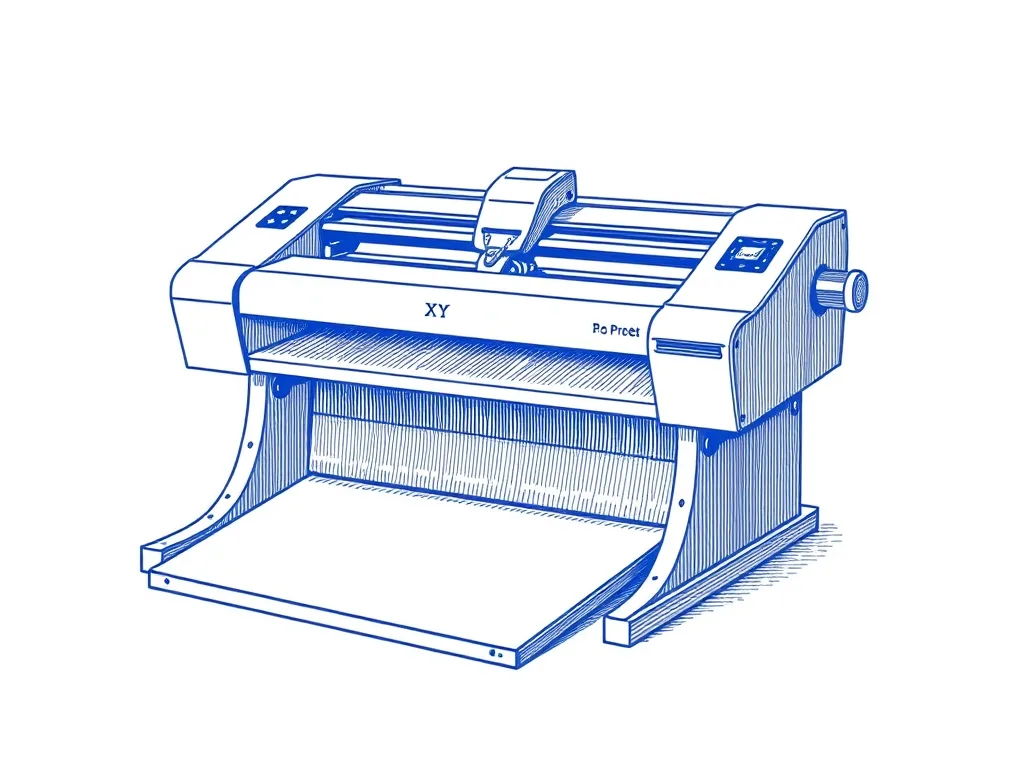
UUNA TEK iDraw 2.0 A3 Pen Plotter
4.3 (218)A large-format desktop XY plotter that draws on paper up to A3 — the most accessible on-ramp to AxiDraw-style plotting without the AxiDraw price.
Best for: Makers who want A3 plots out of the box
ScotchBlue Original Painter's Tape
4.8 (21,000)Low-tack masking tape that pins paper to the bed without tearing it — the cheapest upgrade to plot registration and clean edges you can buy.
Best for: Keeping paper flat and registered mid-plot